On this Page
Customising the Graph View
The graph view provided by Yarn Spinner for Visual Studio Code has two useful customisation options: colours and groups. You can use these to make it easier for you, a human, to understand what’s going on in your Yarn Scripts.
Colours
You can add a new field to a node’s header, named color, to colour-code your nodes.
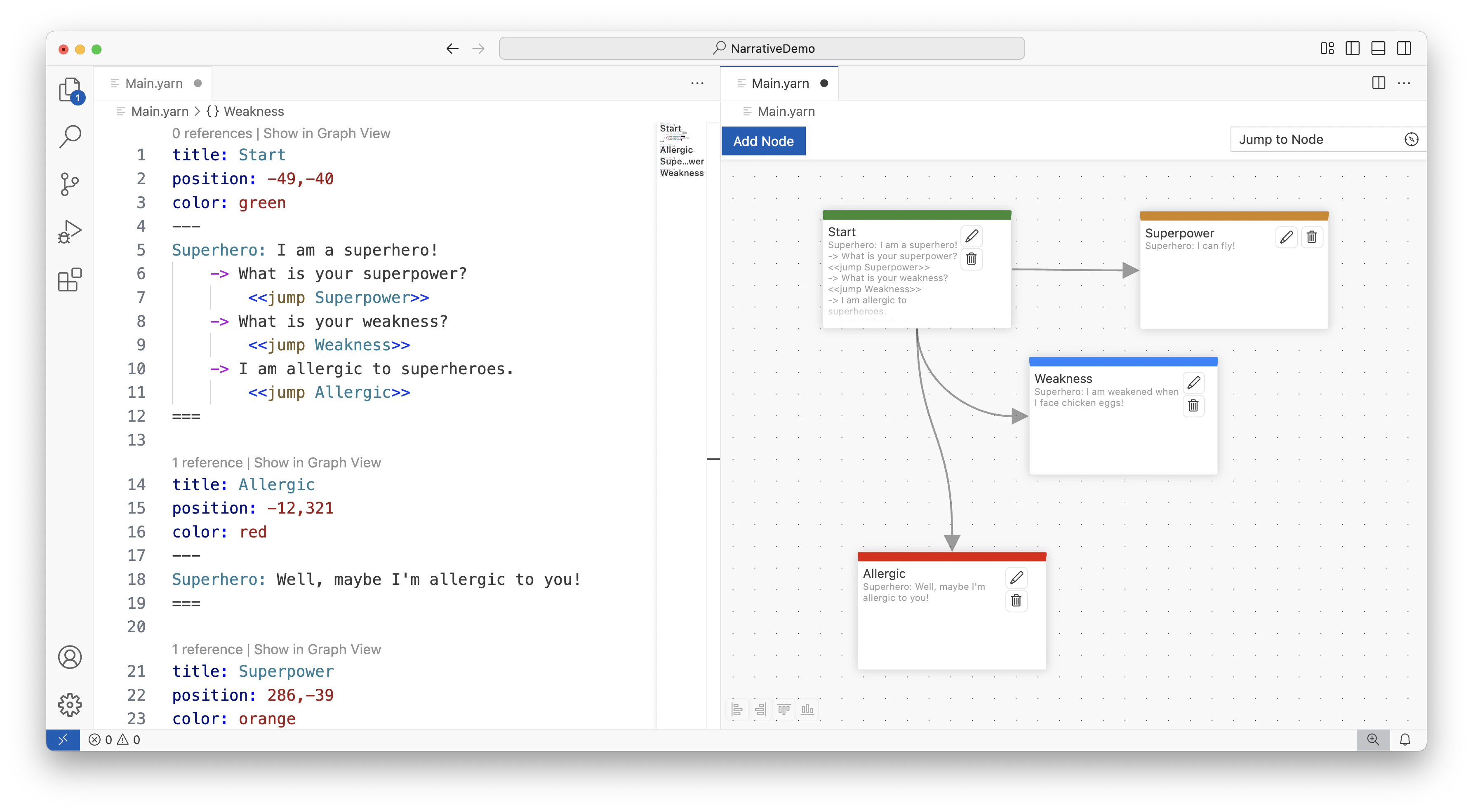
You can use red, green, blue, orange, yellow, or purple. The colours that you see may be different, depending on your VS Code theme.
title field and above the ---.title: Start
position: -49,-40
color: green
---
Superhero: I am a superhero!
-> What is your superpower?
<<jump Superpower>>
-> What is your weakness?
<<jump Weakness>>
-> I am allergic to superheroes.
<<jump Allergic>>
===
title: Allergic
position: -12,321
color: red
---
Superhero: Well, maybe I'm allergic to you!
===
title: Superpower
position: 286,-39
color: orange
---
Superhero: I can fly!
===
title: Weakness
position: 169,115
color: blue
---
Superhero: I am weakened when I face chicken eggs!
===
Groups
You can also group your nodes in the graph view by adding the group field to a node header.
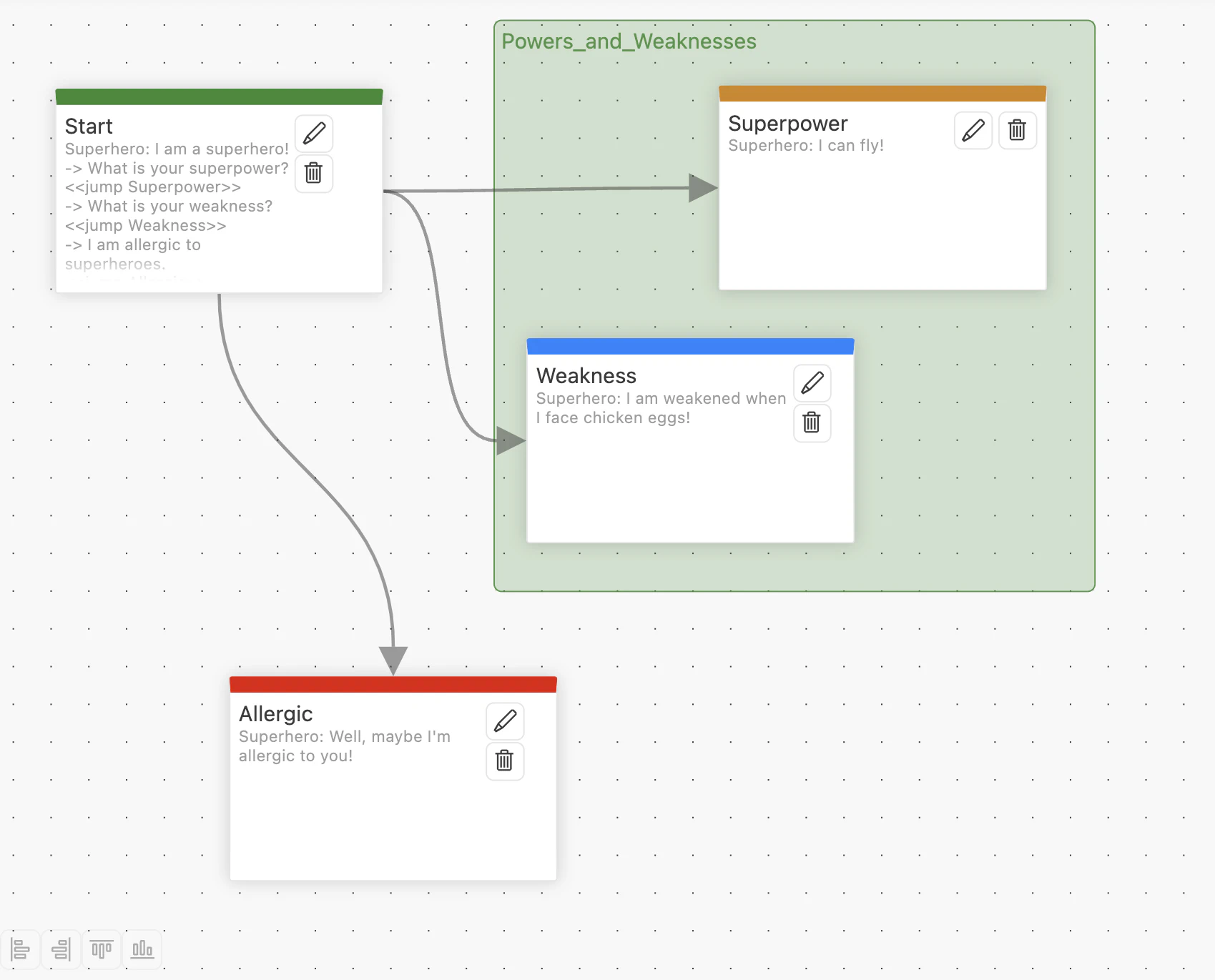
Add a group to your Yarn Script in Main.yarn.
title: Superpower
position: 286,-39
color: orange
group: Powers_and_Weaknesses
---
Superhero: I can fly!
===

title: Weakness
position: 169,115
color: blue
group: Powers_and_Weaknesses
---
Superhero: I am weakened when I face chicken eggs!
===
Group names must begin with a letter, and can contain any letter or number, plus - and _ characters.